What you get
Everything ApexAlpha does for you, in plain words.
One line of code goes on your website. After that you can see who visits, decide what each guest gets, and check what it earned. Here is every part, with the real screens.
1 of 7
See who is on your website
Open the Overview and you see what your website earned and who came.
- How many real people visited. Bots are taken out first, so they never count.
- How many shopped seriously, and how many started to leave.
- What the average website booking earned, and how that compares with before.
- Where visitors came from: search, social media, or straight to your site.
- Which homes get looked at but not booked.
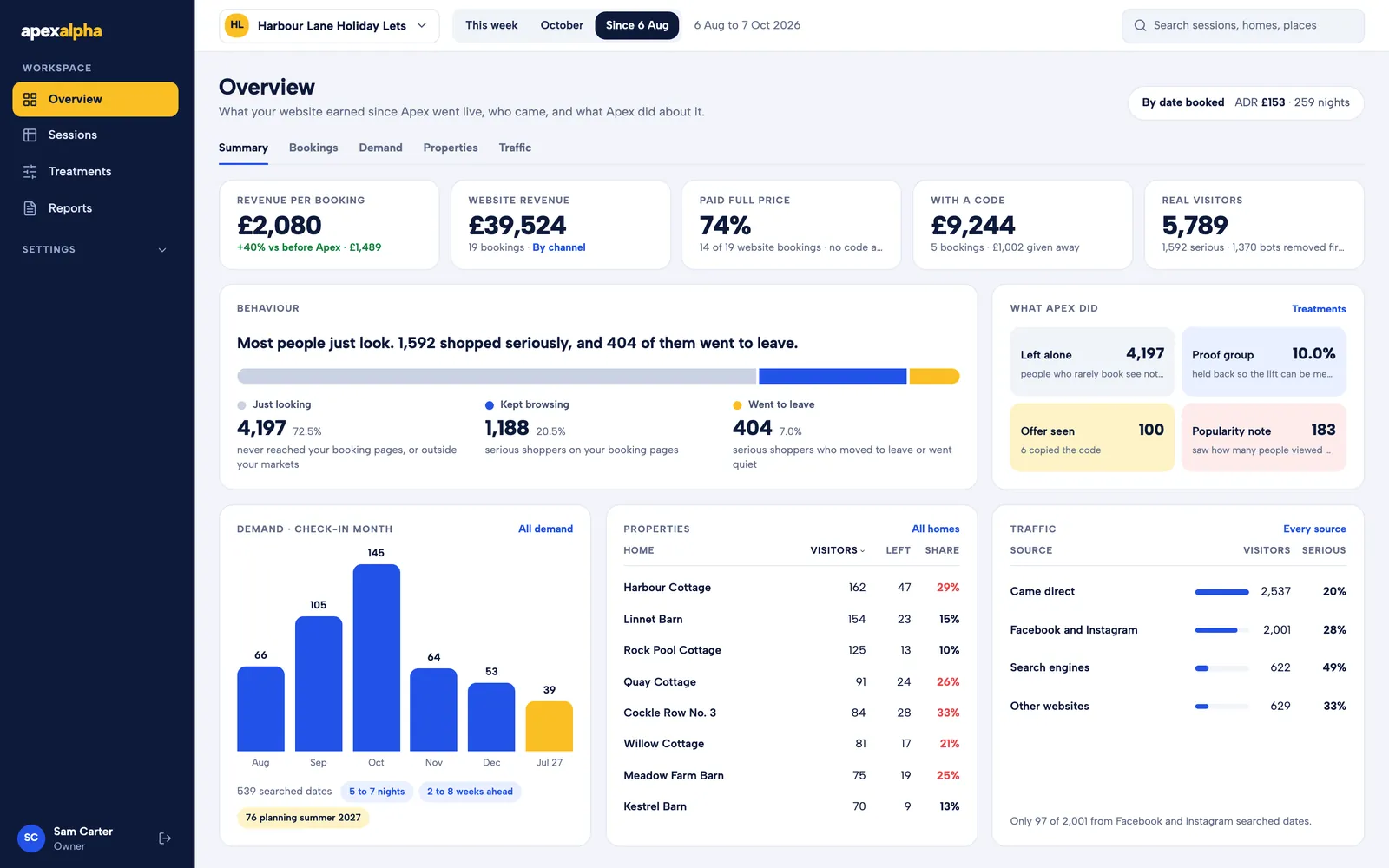
Real numbers from a pilot site. The site, home and owner names are made up.
2 of 7
Decide what each guest gets
A treatment is a small thing a guest might see, like a note or a code. You decide who can get one, and when.
- Guests who are ready to book see nothing. They pay full price.
- A serious shopper who starts to leave, or goes quiet, can get a code.
- You set the biggest discount allowed. Busy weeks can be protected, so popular homes never get offers.
- One visitor in ten never sees anything. That group shows what would have happened anyway.
- Nothing goes live until you approve it, and you can switch it off any time.
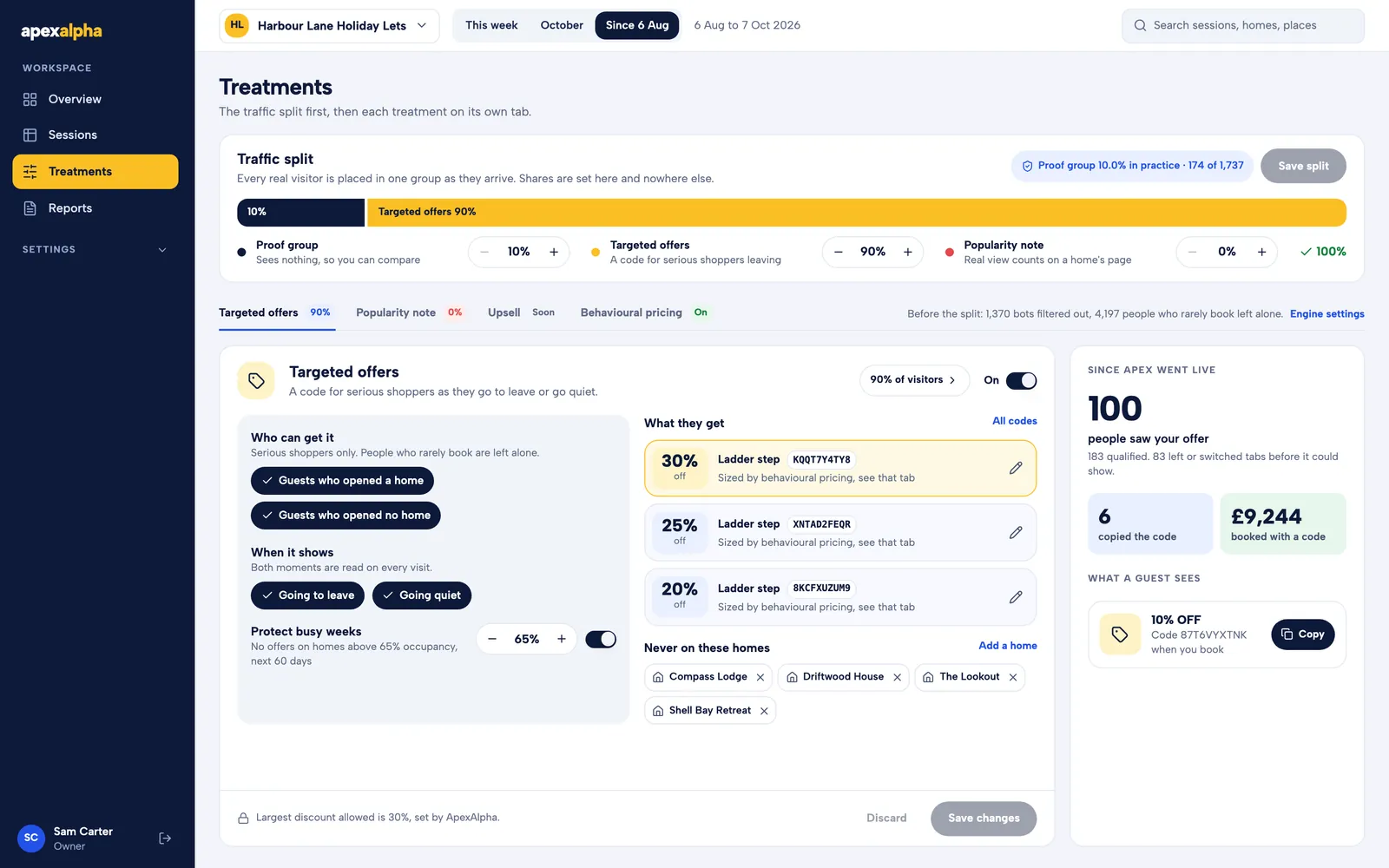
What a guest sees
Most guests see nothing at all. A guest can see one of two things: a note or a code. Here they are, exactly as they appear on a booking page.
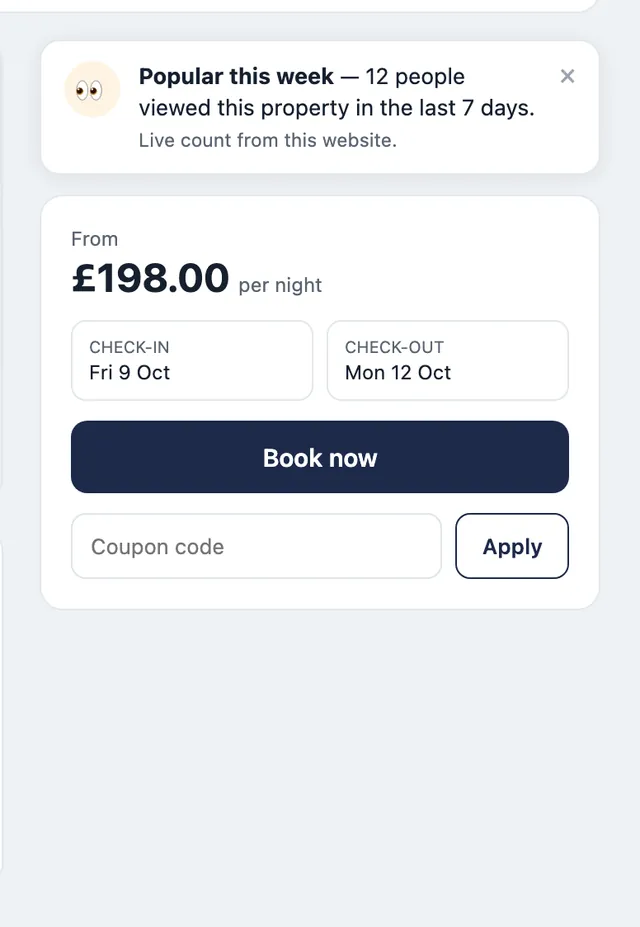
A note on the home’s page
It shows how many people viewed the home this week. The count is real and comes from your own site.
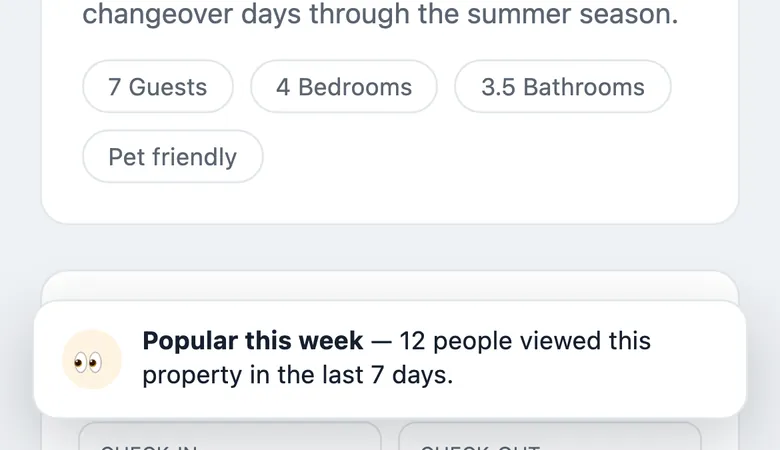
The same note on a phone
On a phone it sits at the bottom of the screen and stays out of the way.
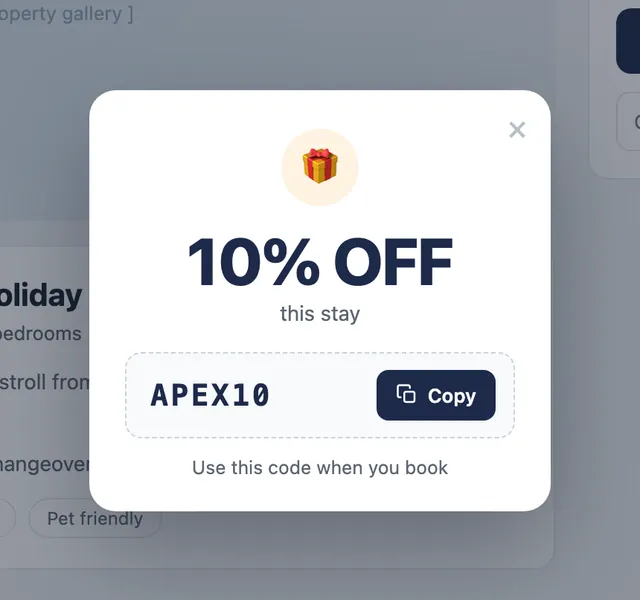
A code for a guest about to leave
One card, one button. The guest copies the code and books the normal way.
3 of 7
Follow every visit
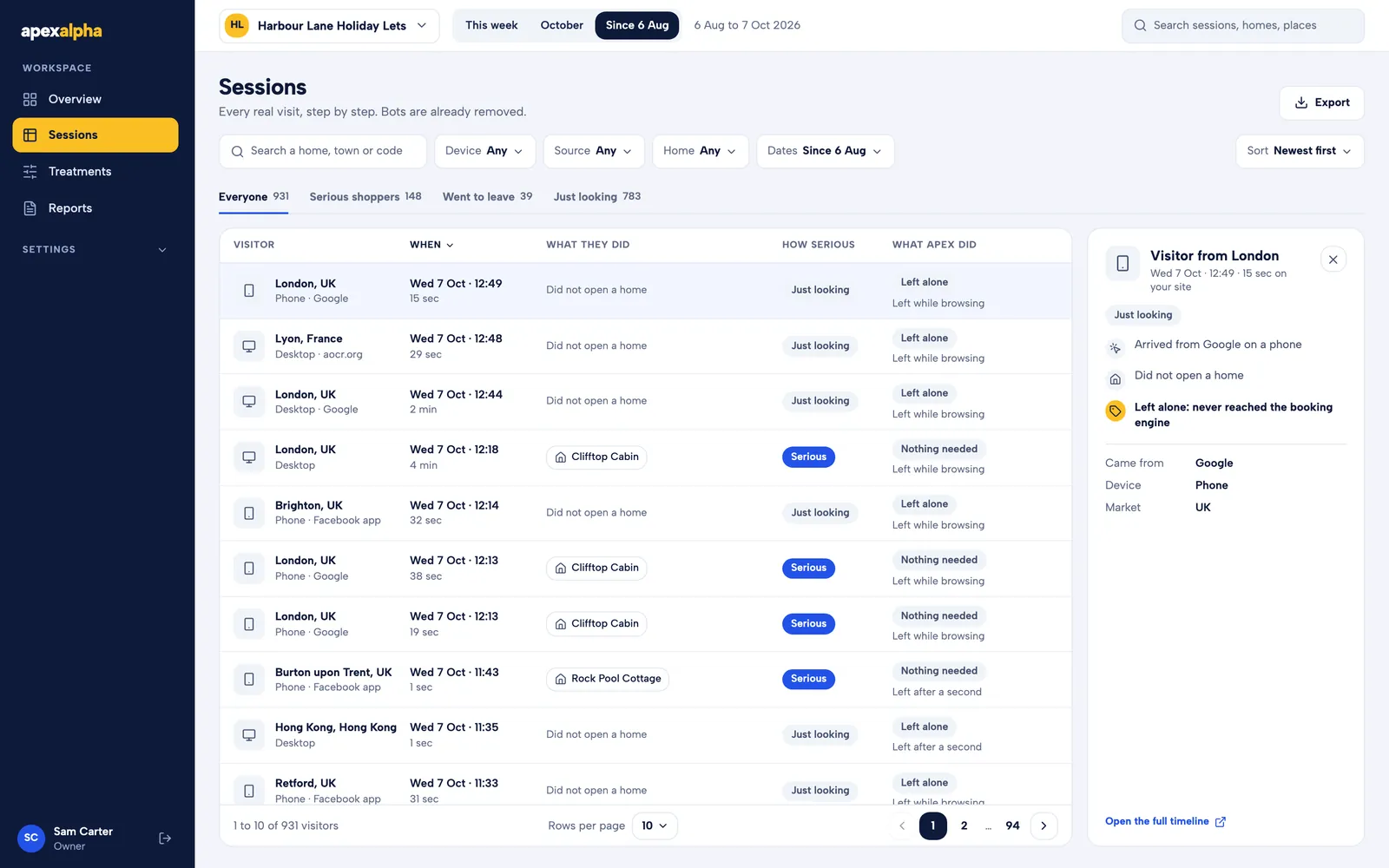
Every real visit, step by step.
- Where each visitor came from, which homes they opened, and how long they stayed.
- Each visit is marked: just looking, serious, or went to leave.
- You can see what ApexAlpha did for that visitor, if anything.
- Export the list any time.
4 of 7
Check the results in your own system
You do not have to take our word for it.
- Every booking made with a code shows up in Guesty or Zeevou, with its value.
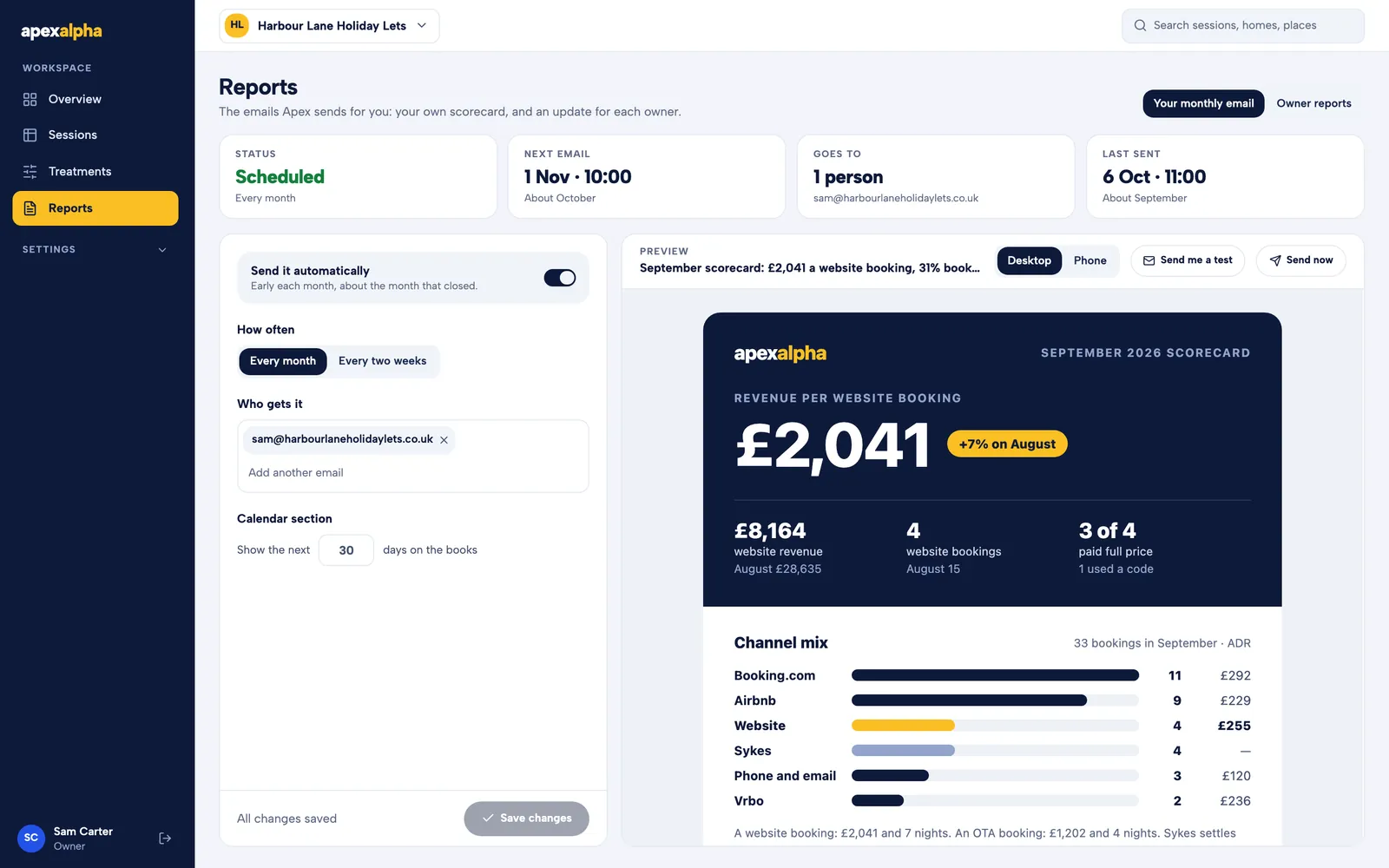
- A short email lands in your inbox each month. It shows what a website booking earned, where bookings came from, and the next 30 days.
- Guests book the way they always did. ApexAlpha never touches a booking.
5 of 7
Keep your owners in the loop
Owners want to know how their home is doing. Now they hear it from you, without the admin.
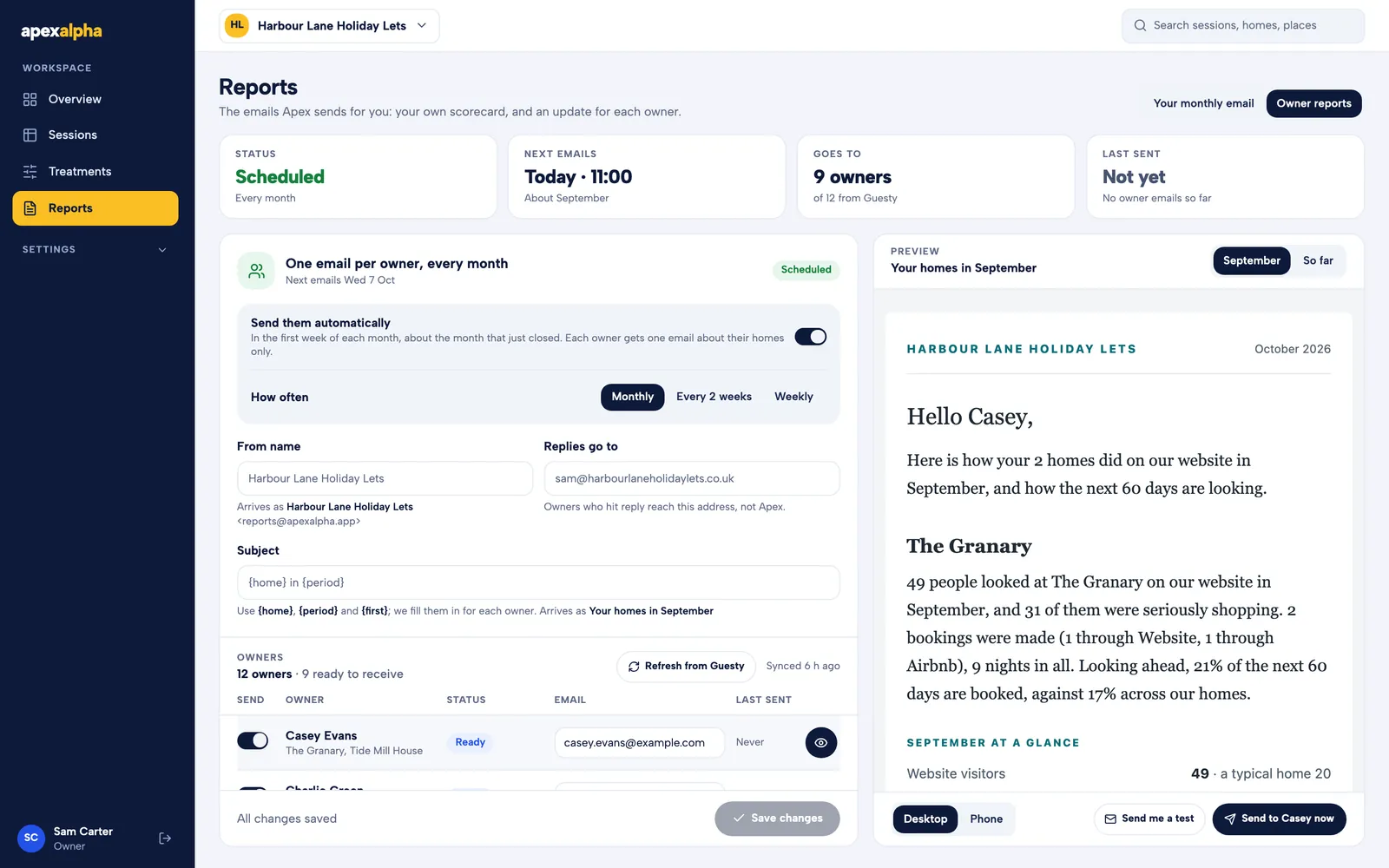
- Each owner gets an email about their own homes, sent in your name.
- It says how many people looked, how many booked, and how the next 60 days look.
- Monthly, every two weeks, or weekly. You choose, and you can read any email before it goes.
- No money figures, and nothing about anyone else’s homes.
6 of 7
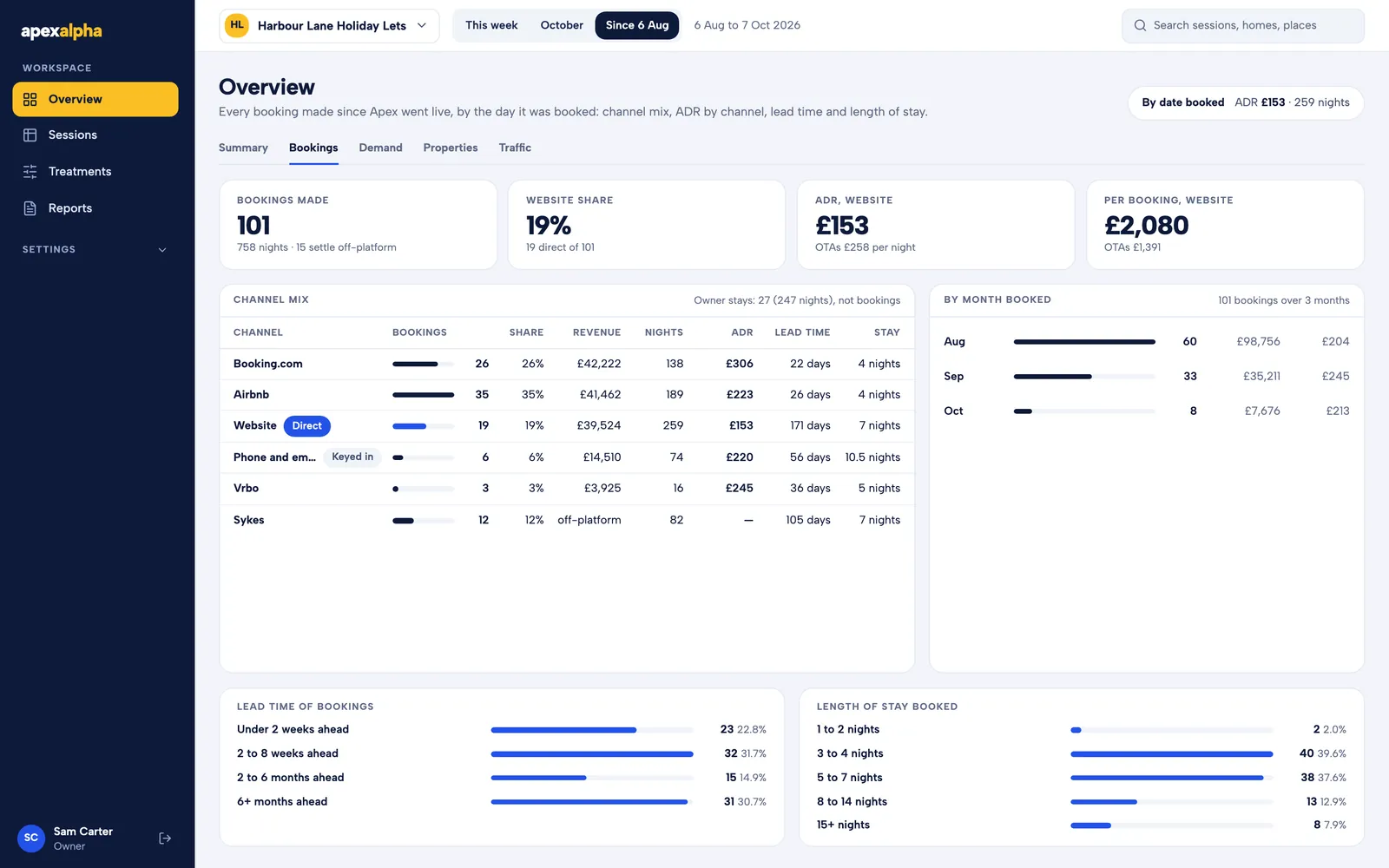
Know where your bookings come from
Every booking, by the day it was made.
- Your website, Airbnb, Booking.com and the rest, side by side.
- What each channel earns per night, how far ahead people book, and how long they stay.
- Owner stays are shown separately, so they never count as bookings.
7 of 7
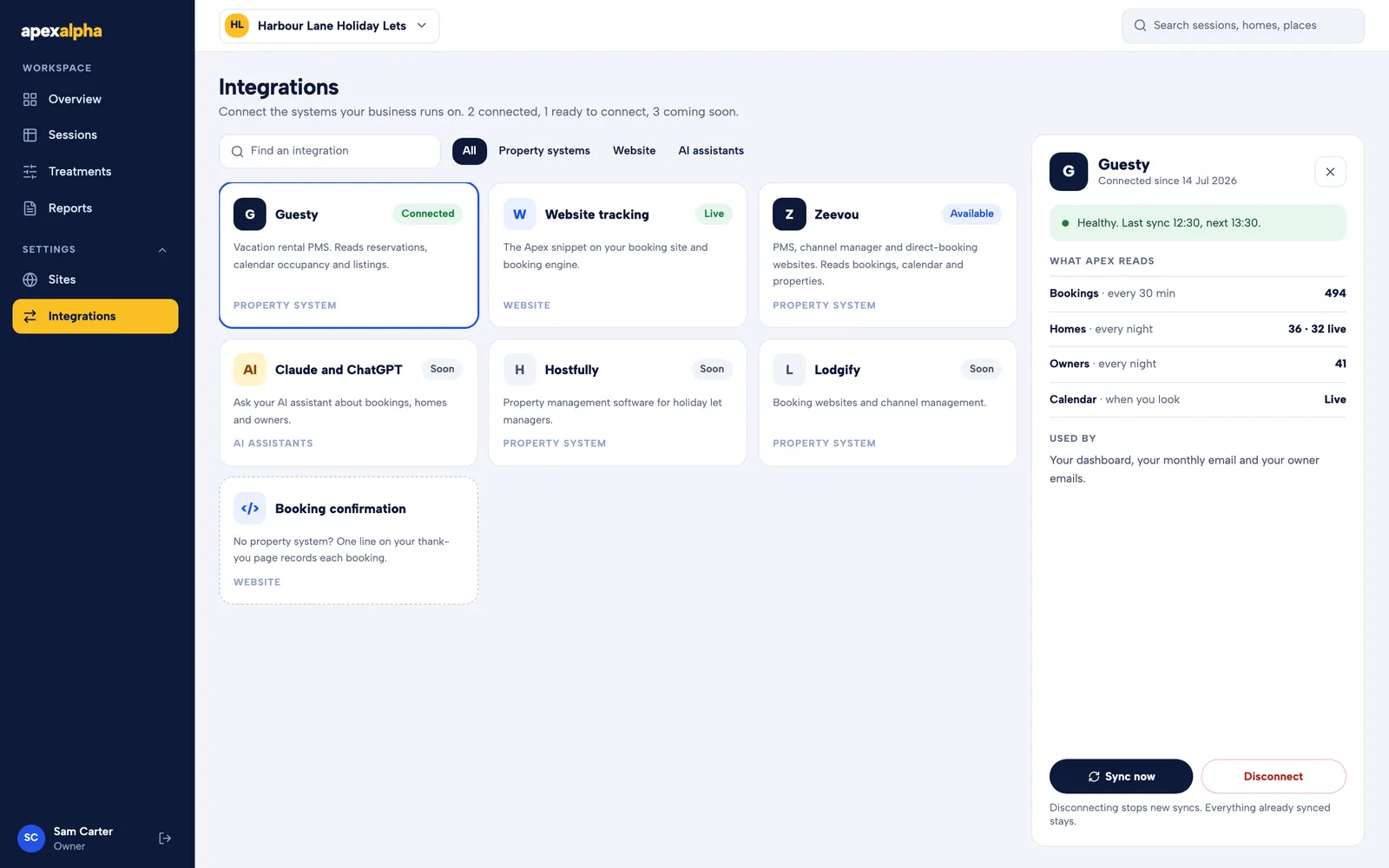
Works with what you already use
Connect your booking system once. ApexAlpha reads from it and never changes anything there.
- Guesty and Zeevou today. Connecting takes a few minutes.
- No booking system? One line on your thank-you page records each booking.
- Claude and ChatGPT: ask about your numbers in plain words. Coming soon.
See it on your own website.
Setup takes two minutes: one line of code, then connect your booking system. Every result shows up in your own system, where you can check it.